M64Plus FZ Emulator
Francisco ZuritaArcade
4.76.64K Reviews
- Version
- Varies With Device
- Installs
- 10.00M
- Age Rating
- Everyone
Screenshots
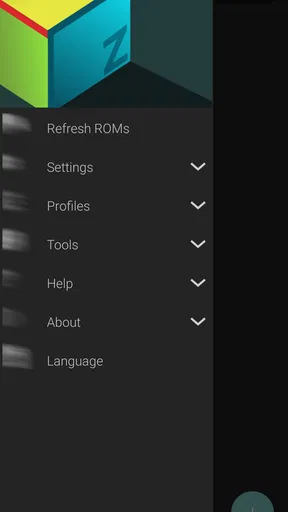
Our Review of M64Plus FZ Emulator
 Analysis by Appyee
I approached M64Plus FZ Emulator as a practical way to revisit games from a certain 64-bit console, rather than as a game with its own levels or story. That distinction matters immediately: the application does not supply the entertainment by itself. Its value comes from how it handles software you already own and want to experience through an Android device. In my use, the first question was not “what do I unlock?” but “how quickly can I move from opening the emulator to actually playing?”
That makes this a very different kind of arcade app from the usual quick-reaction download. The action is selecting a game, configuring the controls, and beginning a familiar session. The feedback is the response of the emulated game to taps, buttons, movement, and timing. The reward is getting a portable version of a console experience that may otherwise remain tied to older hardware. When I stop, the reset is simple: I can return later and begin the setup-and-play cycle again.
Getting from the first tap to the first game
The opening experience is best understood as a bridge between Android and console software. Francisco Zurita is the developer, and the application is free, which removes the financial barrier to testing it. It is also aimed at Everyone, so the presentation is not built around mature themes. Still, an emulator is more hands-on than a conventional mobile game: the user has to understand where their game files come from and how they want to interact with them.
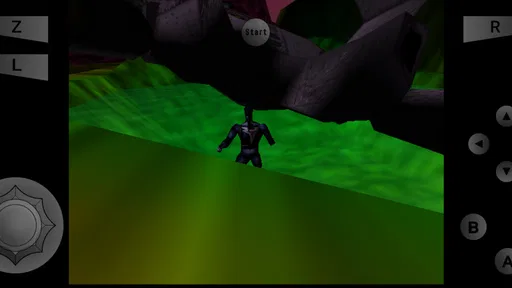
I would not recommend treating the first launch as something to rush through. The most useful early decision is choosing whether to play with on-screen controls or a compatible physical controller. Touch controls can make a short test session possible, but they also occupy part of the display and can feel less natural for games that depend on several buttons, analog movement, or precise timing. A controller is the better choice when the goal is to recreate the feel of the original console rather than simply check whether a title runs.
That is the first important trade-off. A phone gives me convenience, but it does not automatically give me ideal ergonomics. A compact screen can be excellent for a quick session while traveling, yet awkward when virtual buttons cover the action. I found it more useful to think of the emulator as flexible rather than universally comfortable. It adapts to the device I have, but the quality of the experience still depends heavily on that device and on the control method.
Another practical point is organization. A large collection becomes harder to use when every game is treated as an isolated experiment. I get a smoother routine by keeping the relevant files in a predictable location, using clear names, and testing one title at a time before building a larger library. This is not glamorous advice, but it prevents the common frustration of wondering whether a problem comes from the emulator, the file, the controls, or the game itself.
Because this is an emulator, compatibility should be judged title by title rather than through one blanket expectation. A game that launches and feels responsive is a successful result; another may need different settings or may simply be a poor match for the phone. I would especially avoid assuming that a high public rating means every game will behave identically. The app has an average rating of 4.7 from around 138 thousand ratings, which shows strong overall approval, but an emulator still has more variables than a fixed-content mobile game.
Why the setup is part of the experience
With ordinary arcade games, the first action is usually obvious: tap the screen and start. Here, the first action has two layers. I first prepare the environment, then I perform the action inside the emulated game. That extra layer may sound like a disadvantage, and sometimes it is. Yet it also gives me control over how I want to play. I can choose a short touch-based test, settle into a controller session, or use the app as a way to revisit a particular part of a personal collection.
The emulator is therefore strongest for people who enjoy a little ownership over their setup. It suits someone who wants to carry selected console games on an Android device and is willing to spend a few minutes making the arrangement comfortable. It is less suitable for someone who wants an instant, self-contained arcade game with no file management, no control decisions, and no possibility of compatibility friction.
That difference also explains why the app’s popularity is meaningful but not enough on its own. It has passed over ten million installs, so it is clearly not an obscure experiment. I still would not install it expecting the same simplicity as a one-button endless runner. Its appeal starts once the initial preparation is finished.
The feedback rhythm: action, response, and control
Once a game is running, the emulator’s core loop becomes much easier to feel. I press a virtual or physical button, the game responds, and I judge whether the timing and movement match what I intended. In a good session, that response becomes nearly invisible: my attention moves away from the emulator and back to the game. That is the point at which the application has done its job well.
The quality of this rhythm depends on more than raw speed. Button placement matters because a control that is technically responsive can still be uncomfortable if my thumb repeatedly lands in the wrong place. Screen size matters because a larger display may make virtual controls easier to see while also making one-handed play less practical. Orientation matters too: a layout that feels natural in one position may be cramped in another.
I recommend spending time on control placement before judging the emulator from a single awkward attempt. The first arrangement is rarely the best one for every game. A platforming title, a racing game, and a fighting game ask for different hand positions. If I use the same touch layout for all of them, I am testing my patience as much as I am testing the app. A small adjustment can turn an irritating session into a playable one.
There is also a useful distinction between visual feedback and physical feedback. On a phone, I see the original game’s response, but I may not feel the same button travel or resistance that the old controller provided. A physical controller can restore some of that confidence, especially for games where a half-pressed direction or rapid button sequence changes the result. Touch input remains convenient, but convenience is not the same as authenticity.
For short sessions, this may not matter much. If I have a few minutes while waiting somewhere, I can accept a less precise arrangement and enjoy the novelty of playing on a phone. For a longer session, small control issues accumulate. My hands notice repeated mis-taps, and my attention shifts from the game to the interface. That is where the emulator’s flexibility becomes important: it gives me options, but it expects me to use them thoughtfully.
Where the arcade feeling works best
The arcade character comes from the repeated exchange between a deliberate input and an immediate consequence. I make a jump, steer through a turn, react to an opponent, or try a difficult maneuver. The game tells me what happened through movement, sound, animation, and success or failure. Then I decide whether to attempt the same challenge again. M64Plus FZ Emulator does not create that rhythm, but it can make the rhythm available in a portable form.
I find the strongest use case is a focused revisit rather than endless browsing. Choosing one game and playing it with a clear intention—finishing a stage, practicing a section, or simply spending a quiet evening with something familiar—makes the setup feel worthwhile. Constantly switching between titles can make the emulator feel like a menu instead of a gaming tool. The more specific my reason for opening it, the faster I reach the satisfying part.
That also helps with troubleshooting. If I change several things at once, I cannot tell which adjustment improved the experience. I prefer to alter one control or display choice, test the same short section, and then decide whether to keep it. This method is slower for the first few minutes but saves time over repeated sessions. It is one of the less obvious advantages of treating the emulator as a personal setup rather than a disposable app.
The reward: portability, familiarity, and a personal library
The reward here is not a streak, a collection of mobile achievements, or a new character unlocked by the app. It is access to a style of console play in a place where the original hardware may not be convenient. I can use an Android device to revisit games during a trip, at home away from the television, or in a short break when setting up a full console would be excessive.
That portability changes the emotional texture of older games. A title that once required sitting in one particular room can become something I return to in smaller pieces. I might play for ten minutes, stop when I reach an interruption, and come back later. The experience is less about replacing a console completely and more about giving familiar games another practical setting.
A realistic everyday scenario is a long commute with a controller packed in my bag. Before leaving, I prepare a small selection of games rather than carrying an entire library. During the ride, I choose one that works well in short bursts. If the environment is noisy or the screen is difficult to see, I stop without feeling that I have lost a complicated mobile progression system. Later, I can continue the same game at home with better controls. That flexibility is more valuable to me than simply having a large list of titles available.
The app is also useful for someone who owns several devices and wants a consistent way to revisit this console generation on Android. The benefit is not that every device will provide the same result. Instead, the emulator gives me a familiar starting point while the phone, controller, and chosen game determine the final comfort level. A newer or more capable device may feel better for demanding sessions, while a smaller phone may be preferable for portability.
Compared with a dedicated console, the obvious advantage is convenience. I do not need to reserve the television or sit beside older hardware. Compared with a general mobile arcade game, the advantage is depth and variety within the console library rather than a single repeatable mechanic. Compared with another emulator, the deciding factors are usually compatibility, control comfort, and how much effort I am willing to spend arranging the experience. I would choose a conventional mobile game when I want instant play, and dedicated hardware when I want the most natural original control. I choose this emulator when portability is the priority.
When the reward is not worth the effort
There are clear situations in which I would skip it. If I do not already have a legitimate way to access the games I want to play, the emulator alone does not solve that problem. If I dislike configuring controls, sorting files, or testing individual titles, the initial work may outweigh the benefit. Someone looking for a polished game designed specifically for touchscreens will probably have a better time with a native Android arcade release.
I would also be cautious about using it as a substitute for every console session. Touch controls can be a compromise, and portability can expose the experience to interruptions, small screens, and awkward hand positions. The app is most convincing when I accept that it is a tool for a particular kind of play, not a magic conversion of every old game into a perfect modern phone experience.
The public response suggests that many users find the trade-off worthwhile. Alongside its 4.7 average, the app has around 6.6 thousand written reviews and is free to try. I read that combination as a reason to investigate, not as a promise that my phone, controller, and chosen game will behave exactly like someone else’s setup. Emulation is personal in a way ordinary mobile downloads often are not.
Resetting a session without losing the reason to return
The reset is one of the most appealing parts of this kind of app. When I finish a session, I can put the phone away without abandoning a daily energy system, a limited attempt counter, or a timed mobile event. The next session begins when I decide to open the emulator and choose a game. That makes the loop feel calm: prepare, play, stop, and return when the mood comes back.
At the same time, a clean reset can reveal a weakness. Because the application is a platform for games rather than one tightly designed arcade experience, it does not necessarily give me a strong reason to open it every day by itself. The motivation comes from the games I have selected and the memories attached to them. If my library is poorly organized or I cannot settle on what to play, the restart may lead to browsing rather than action.
My solution is to keep the next session visible in my mind before closing the current one. I might stop after a natural checkpoint, remember the exact challenge I want to attempt next, and leave the emulator associated with that goal. This simple habit makes the return more purposeful. It also prevents the common cycle of opening the app, scanning a long list, and quitting before anything starts.
For longer sessions, I prefer to treat the reset as a comfort check. Was the control layout tiring? Did the screen make certain actions difficult? Would a controller improve the next attempt? Did the game work well in a short burst, or did it need uninterrupted time? Answering those questions before returning lets me improve the experience gradually instead of repeating the same friction.
That is where the app feels more mature than a basic “launch and play” emulator. Its usefulness grows when I build a repeatable routine around it. I can keep a small group of favorites, match control choices to the type of game, and reserve touch play for situations where convenience matters more than perfect precision. None of this removes the need for experimentation, but it turns experimentation into a manageable part of the hobby.
My verdict on the complete loop
M64Plus FZ Emulator works best when I see the complete loop clearly. The first action is preparing a game and choosing how to control it. The feedback rhythm is the immediate response between my input and the emulated console game. The reward is portable access to a familiar style of play. The reset is the freedom to stop and return without a separate mobile progression system forcing the schedule. The reason another session begins is personal: a challenge remains unfinished, a favorite moment is worth revisiting, or I simply want that console feeling again.
That loop is satisfying, but it is not effortless. I have to accept that the emulator is only one part of the experience. File organization, device performance, screen size, and controller choice all influence the result. I also need realistic expectations about compatibility from one game to another. The app’s strong rating and broad install base make it an appealing starting point, yet they do not remove the need to judge it with my own hardware and habits.
For me, the biggest strength is the balance between portability and control. I can turn an Android device into a convenient doorway to a 64-bit console library without committing every session to the living-room setup. The biggest weakness is that convenience arrives after a little preparation, and touch controls may never satisfy players who want the exact feel of original hardware.
Released on July 21, 2016, and still recognizable as a dedicated arcade-oriented emulator, it has had plenty of time to become a familiar option for this kind of Android play. I would recommend it to people who already know which console games they want to revisit and who are comfortable adjusting their setup until it feels right. I would skip it if I want a self-contained mobile game, dislike technical trial and error, or expect every title to play identically from the first launch.
My final recommendation is straightforward: install it when the goal is to carry selected console experiences with you, not when the goal is instant arcade entertainment. Give the first setup enough attention, test controls with a game you know well, and judge the result by the quality of the repeated action-and-response loop. When that loop feels natural, the app earns its place on the phone; when it does not, dedicated hardware or a native mobile alternative will be the better choice.
Verdict
Strengths of M64Plus FZ Emulator
- Excellent Nintendo 64 compatibility for many popular games.
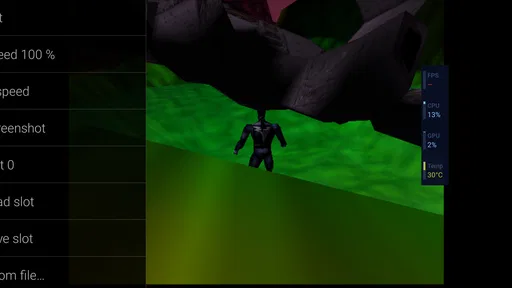
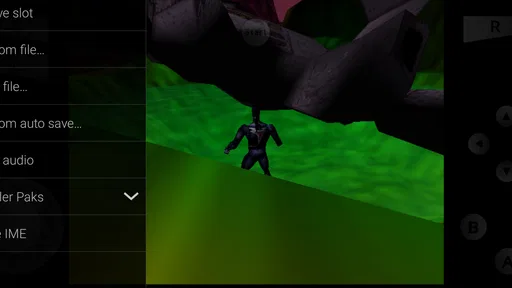
- Supports save states, cheats, and multiple controller layouts.
- Offers customizable graphics, audio, and performance settings.
- Works with physical controllers for a more authentic experience.
- Regular updates help improve game compatibility and stability.
Limitations of M64Plus FZ Emulator
- Requires legally obtained ROM files; games are not included.
- Some titles may show glitches, crashes, or imperfect emulation.
- Advanced settings can feel confusing for first-time users.
- Performance varies significantly between different Android devices.
- The free version may include ads and optional in-app purchases.
Other Releases by Francisco Zurita
View All
M64Plus FZ Pro Emulator
Arcade4.8
Similar Picks in This Category
View All
Subway Surfers
SYBO Games4.6

Stickman Party 234 MiniGames
PlayMax Game Studio4.6

Subway Princess Runner
Ivy4.4

Temple Run
Imangi Studios4.2

Zombie Tsunami
Mobigame SAS4.6

Stack Ball - Crash Platforms
CASUAL AZUR GAMES4.5
Frequently Asked Questions
What is M64Plus FZ Emulator, and what can it run?
M64Plus FZ Emulator is an Android Nintendo 64 emulator designed to play compatible N64 games on modern smartphones and tablets. It provides several graphics, audio, and performance options, along with controller support and save-state features. However, it does not include copyrighted games, so users must obtain ROM files from games they legally own and use them according to local laws.
Does M64Plus FZ Emulator include Nintendo 64 games?
No. M64Plus FZ Emulator is an emulator application, not a game collection, and it does not legally provide Nintendo 64 ROMs for download. After installation, users generally need to add their own legally obtained game files. Downloading ROMs from unauthorized websites may infringe copyright, even if the original cartridge is owned, depending on the laws in your country.
Will M64Plus FZ Emulator work smoothly on every Android device?
Performance depends heavily on the device’s processor, graphics hardware, Android version, and the specific game being played. Many modern phones run compatible titles well, while older or entry-level devices may experience slowdowns, graphical glitches, audio problems, or crashes. The emulator includes profiles and settings that can improve compatibility, but no configuration guarantees perfect performance for every game.
Can I use controllers and save my progress in M64Plus FZ Emulator?
Yes. M64Plus FZ Emulator supports on-screen controls and can work with many Bluetooth, USB, and compatible game controllers. Button mapping can usually be adjusted to suit your preferred layout. The app also supports standard in-game saving and emulator save states, which let you quickly preserve progress. Save states may occasionally be incompatible after changing settings or emulator versions.
Is M64Plus FZ Emulator safe and legal to download?
The emulator itself is generally legal software when obtained from a legitimate app store or trusted source, but the legality of game ROMs and BIOS files varies by country. For safety, download the application from an official or reputable distribution channel, review requested permissions, and avoid modified APK files from unknown websites. Use only game files you are authorized to possess and play.
Play our best games!


